Event Settings
The Event Settings screen allows you to configure the automatic event detection and recording system. Access it from Settings > Event Settings.
Event Recording Toggle
At the top of the screen is the Event Recording Active toggle:
- ON -- The Event Monitor is running. Events are automatically detected and recorded when thresholds are exceeded.
- OFF -- Event monitoring is paused. No automatic recording occurs.
Threshold Configuration
Each monitored parameter has three settings:
| Setting | Description |
|---|---|
| Show | Enable/disable monitoring for this parameter (toggle on/off) |
| Warn | The warning threshold -- when exceeded, an orange indicator appears |
| Trip | The trip threshold -- when exceeded, a red indicator appears and recording is triggered |
How Thresholds Work
- Warn is the first level. It alerts the operator but does not necessarily trigger recording.
- Trip is the critical level. Exceeding this value triggers automatic event recording with pre-trigger data.
Info
For most parameters, threshold values are expressed as percentages relative to the nominal values configured in Main Settings. For example, a voltage warn threshold of "10" means the event triggers when voltage deviates by 10% from the nominal voltage. Some parameters (like temperature) use absolute values.
Parameter Categories
Power Parameters
| Parameter | Default Warn | Default Trip | Description |
|---|---|---|---|
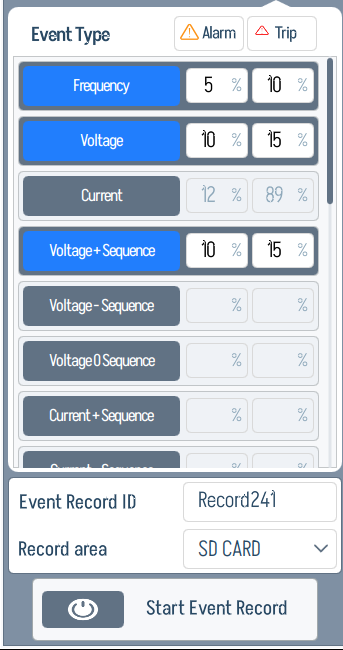
| Frequency | 5% | 10% | Deviation from nominal frequency |
| Voltage | 10% | 15% | Voltage deviation from nominal |
| Current | 10% | 15% | Current deviation from nominal |
| Voltage + Sequence | 10% | 15% | Positive sequence voltage deviation |
| Voltage - Sequence | 5% | 10% | Negative sequence voltage |
| Current - Sequence | 8% | 12% | Negative sequence current |
| Active Power | 15% | 25% | Active power deviation |
| Apparent Power | 20% | 30% | Apparent power deviation |
| Voltage THD | 5% | 8% | Voltage total harmonic distortion |
| Current THD | 10% | 15% | Current total harmonic distortion |
| Power Factor | 5% | 10% | Power factor drop |
| Total Power Factor | 8% | 12% | Total power factor drop |
Motor Parameters
| Parameter | Default Warn | Default Trip | Description |
|---|---|---|---|
| Overcurrent | 110% | 120% | Current above rated (% of nominal) |
| Undercurrent | 10% | 5% | Current below minimum (% of nominal) |
| Voltage Unbalance | 2% | 5% | Phase voltage imbalance |
| Current Unbalance | 3% | 7% | Phase current imbalance |
| Under Voltage | 10% | 15% | Voltage below rated |
| Motor Temperature | 80 C | 95 C | Motor winding temperature |
| Locked Rotor | 15% | 25% | Rotor stall detection |
| Excessive Vibration | 12% | 20% | Vibration level |
| Voltage THD | 5% | 8% | Voltage harmonic distortion |
| Current THD | 8% | 12% | Current harmonic distortion |
| Negative Sequence | 10% | 15% | Negative sequence current |
| Ground Fault | 5% | 10% | Ground leakage current |
| Over Voltage | 105% | 110% | Voltage above rated (% of nominal) |
Pump Parameters
| Parameter | Default Warn | Default Trip | Description |
|---|---|---|---|
| Low Intake Pressure | 15% | 25% | Suction pressure drop |
| Discharge Pressure | 10% | 20% | Discharge pressure deviation |
| Low Flow Rate | 5% | 15% | Flow rate below minimum |
| Pump Efficiency Drop | 8% | 12% | Efficiency degradation |
| Excessive Vibration | 10% | 18% | Mechanical vibration |
| Shaft Torque Overload | 15% | 25% | Excessive shaft torque |
| Gas Lock Detection | 5% | 10% | Gas accumulation in pump |
| Intake Temperature | 12% | 20% | Fluid temperature at pump intake |
Well Parameters
| Parameter | Default Warn | Default Trip | Description |
|---|---|---|---|
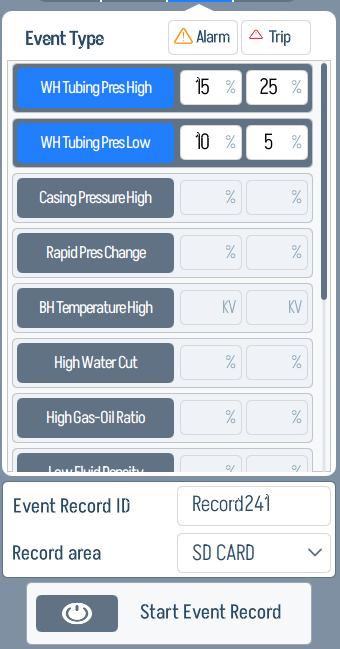
| WH Tubing Pressure High | 15% | 25% | Wellhead tubing overpressure |
| WH Tubing Pressure Low | 10% | 5% | Wellhead tubing underpressure |
| Casing Pressure High | 20% | 30% | Casing overpressure |
| BH Temperature High | 150 C | 180 C | Bottomhole temperature |
| High Water Cut | 60% | 80% | Water percentage in production |
| High Gas-Oil Ratio | 50% | 75% | Gas-to-oil ratio |
| Sand Production Index | 10% | 20% | Sand content in production |
| Annulus Fluid Low | 15% | 25% | Low annulus fluid level |
Editing Thresholds
To change a threshold value:
- Navigate to the desired parameter category (Power, Motor, Pump, or Well)
- Locate the parameter you want to modify
- Tap the Warn or Trip value field
- Enter the new value using the on-screen keyboard
- Tap Save to apply changes
Enabling/Disabling Individual Parameters
Each parameter has a Show toggle. When disabled:
- The parameter is not monitored
- No events will be triggered for this parameter
- The parameter is hidden from the active monitoring display
This allows you to tailor the event system to your specific installation. For example, if your well does not have a sand sensor, you can disable "Sand Production Index."
Category Tabs
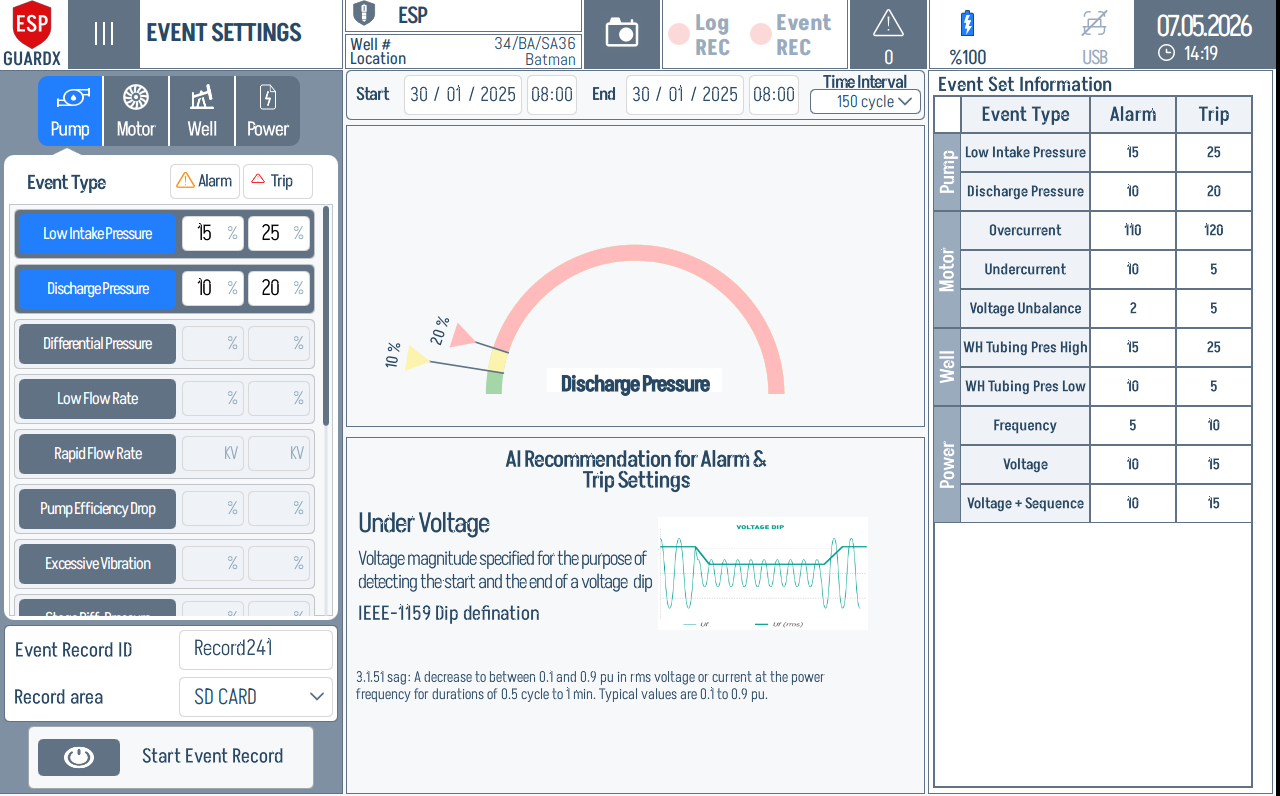
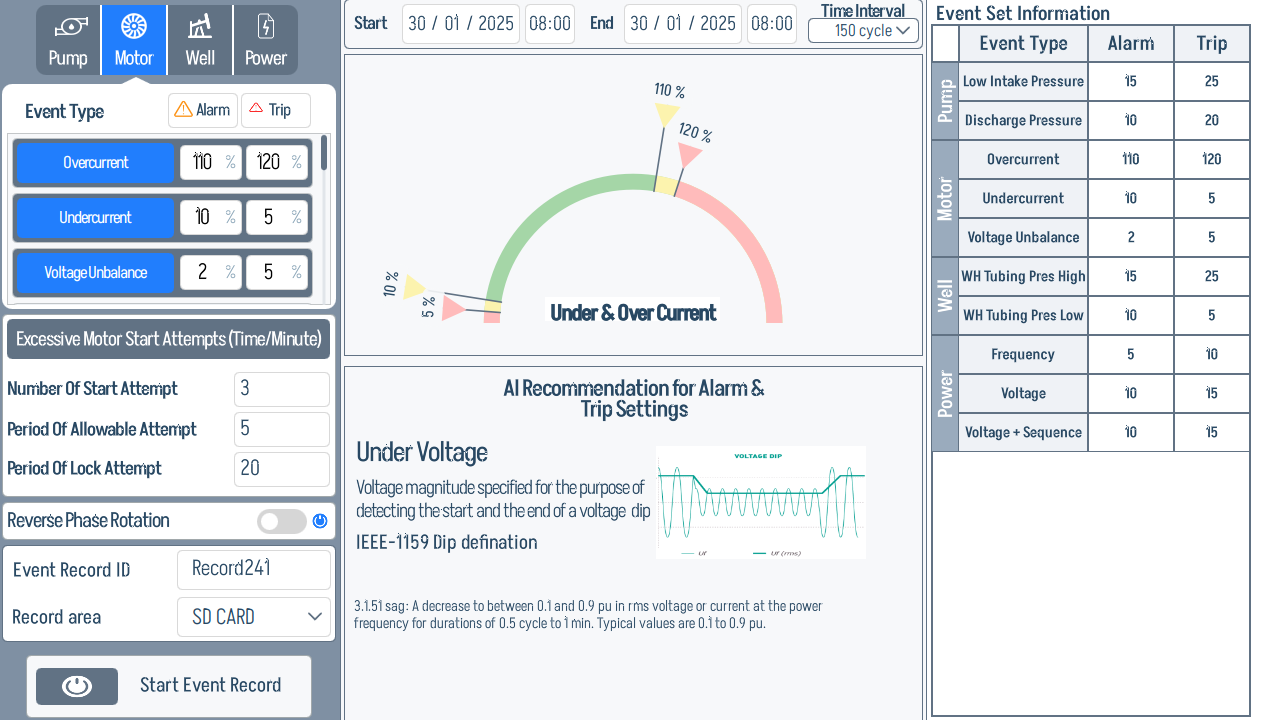
The Event Settings screen is split into four tabs — one per parameter category — selected from a row of icon-tabs at the top of the screen.
Each tab shares the same layout: event-type list on the left, AI-recommendation panel in the middle, and a per-event Event Type / Alarm / Trip table on the right.
Pump
The Pump tab highlighted at the top:
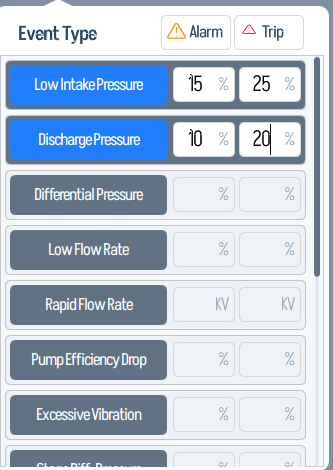
The Event Type list on the left covers the pump-specific events — Low Intake Pressure, Discharge Pressure, Differential Pressure, Low Flow Rate, Rapid Flow Rate, Pump Efficiency Drop, Excessive Vibration, Sharp BHP Drops, Vibration During Startup, Sharp BHP Spike. Each row has Warn / Trip percentage fields.
Motor
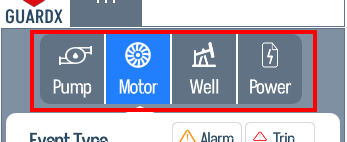
The Motor tab indicator (icon highlighted):
Left column — Event Type list (Overcurrent, Undercurrent, Excessive Motor Start Attempts, Number Of Start Attempt, Period Of Allowable Attempt, Period Of Lock Attempt, Negative Phase Rotation), the Event Record ID, and the Start Event Record toggle.
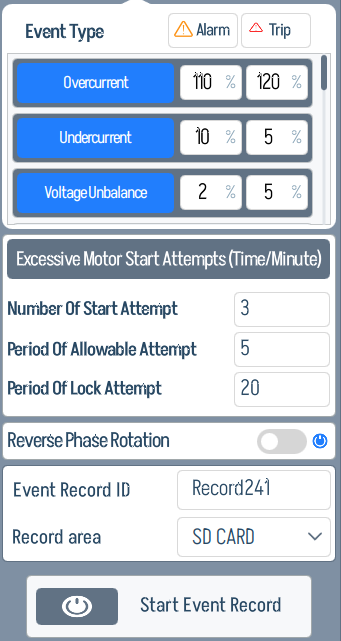
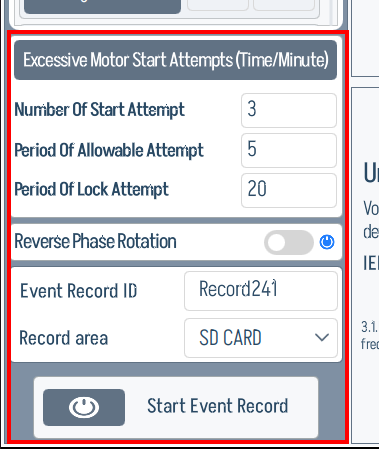
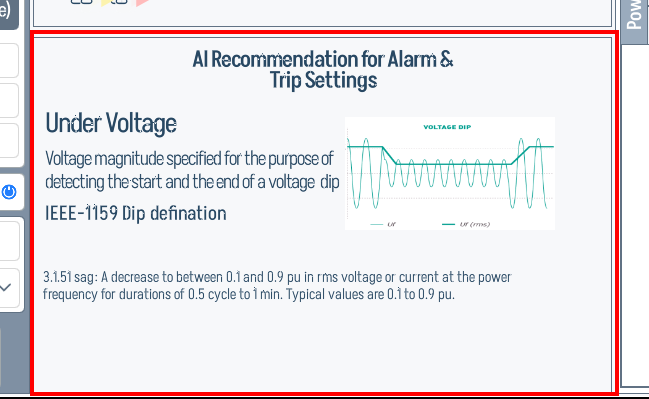
Centre column — AI Recommendation block, with the live "Under & Over Current" headline. The AI panel explains why the threshold defaults are what they are.
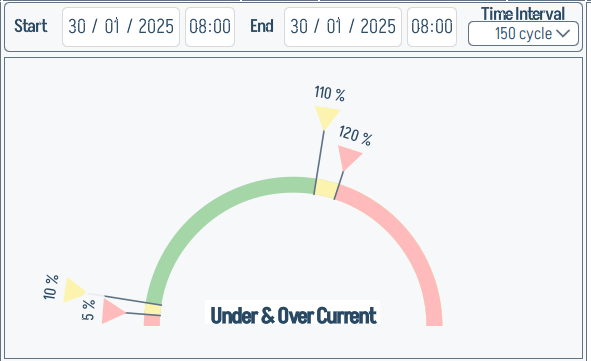
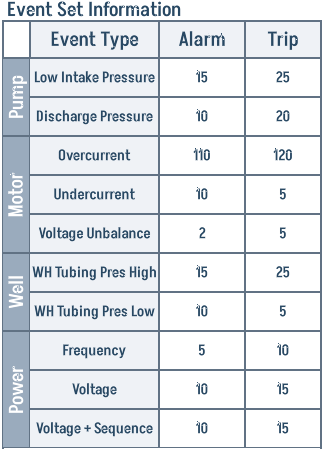
Right column — the Event Set Information table (Event Type / Alarm / Trip) for every event type the device tracks.
Well
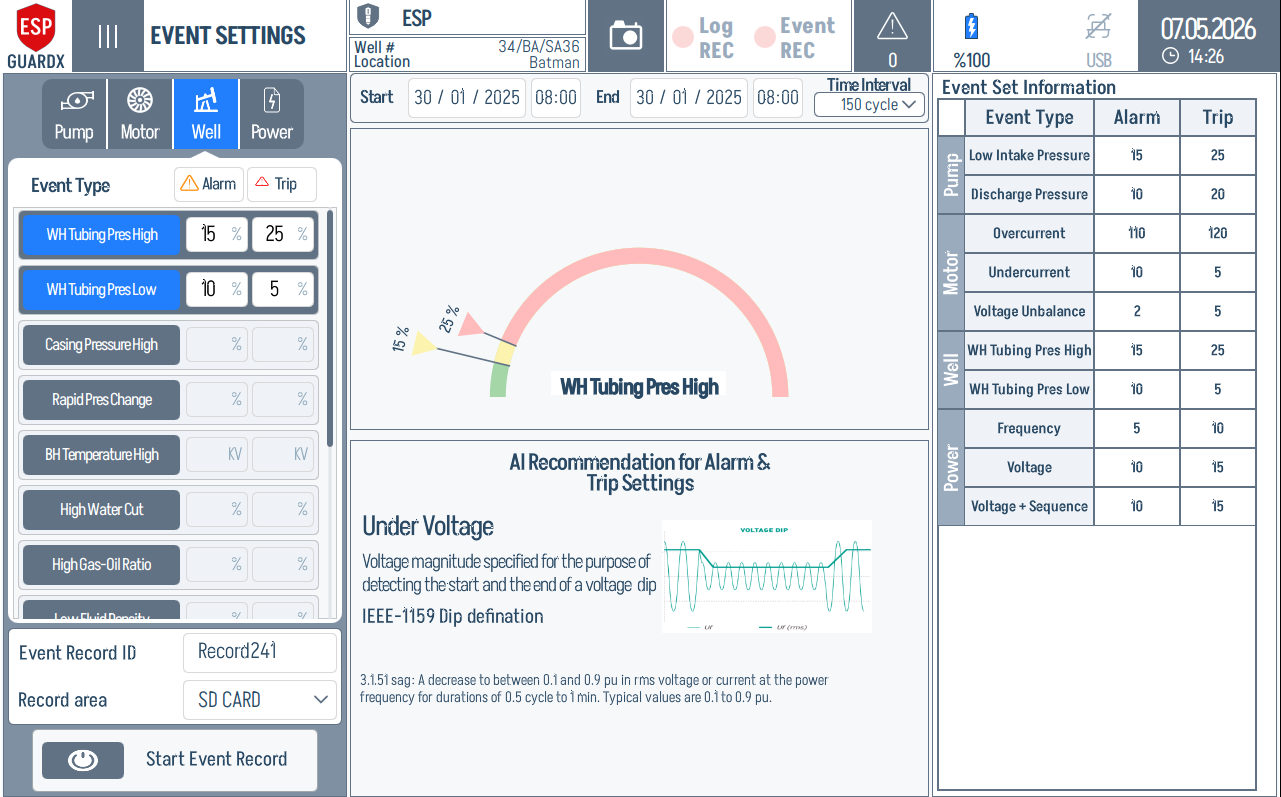
The Well tab indicator and event-type list:
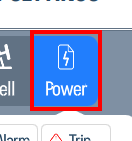
Power
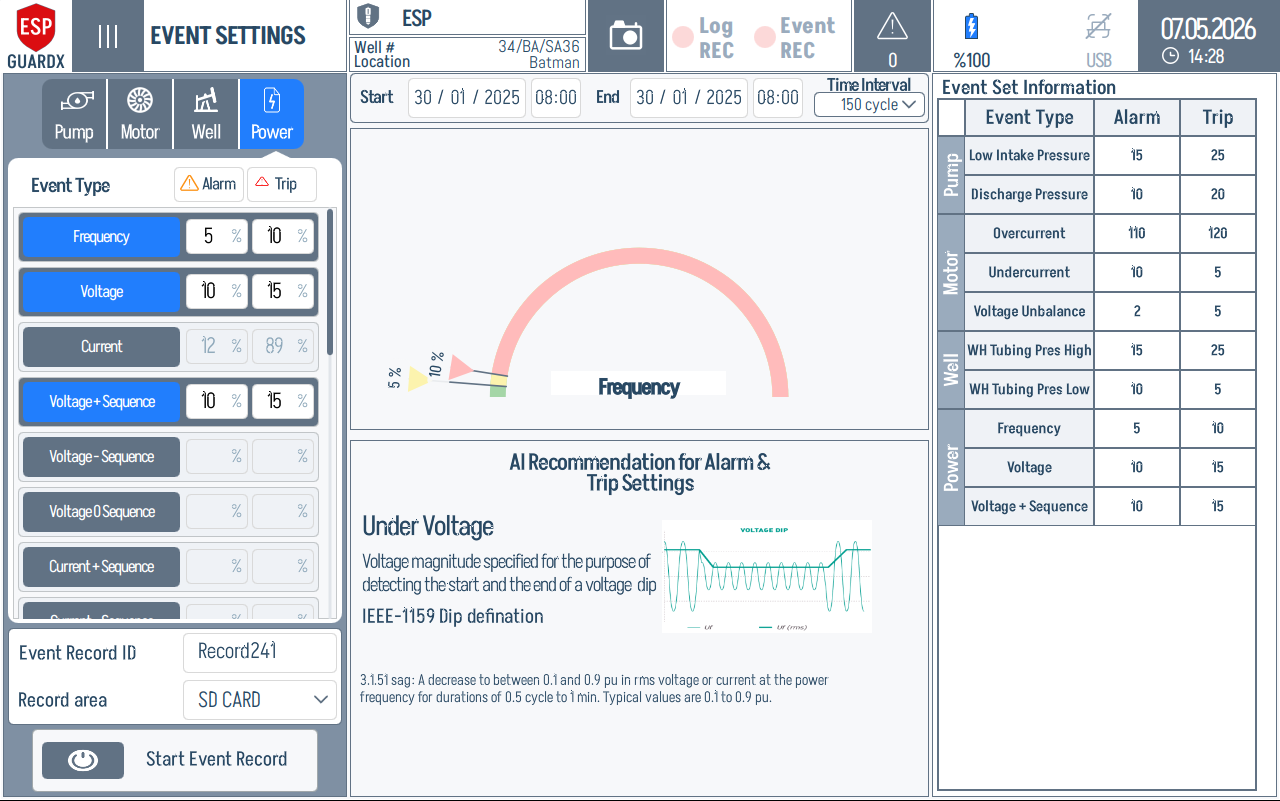
The Power tab indicator and event-type list: